System log
Menu: Admin → SystemLog
System log records user actions and system events for audit and troubleshooting.
Special features
- Admin sub-tab SystemLog.
- List: user, action, module, date/time, IP or context.
- Detail view for a single log entry.
- Keyword Search and date filters.
Workflows
Steps
- Open Admin → SystemLog.
- Filter by date or search by user or action text.
- Open a row to read the full System Log Details.
- Use logs to trace who changed a sale, purchase, or setting.
Validation rules
| Rule | Detail |
|---|---|
| Read-only | Log entries are not edited in normal use |
| Retention | Older rows may be archived per site policy |
| Access | Restricted to administrators |
Manage System Log
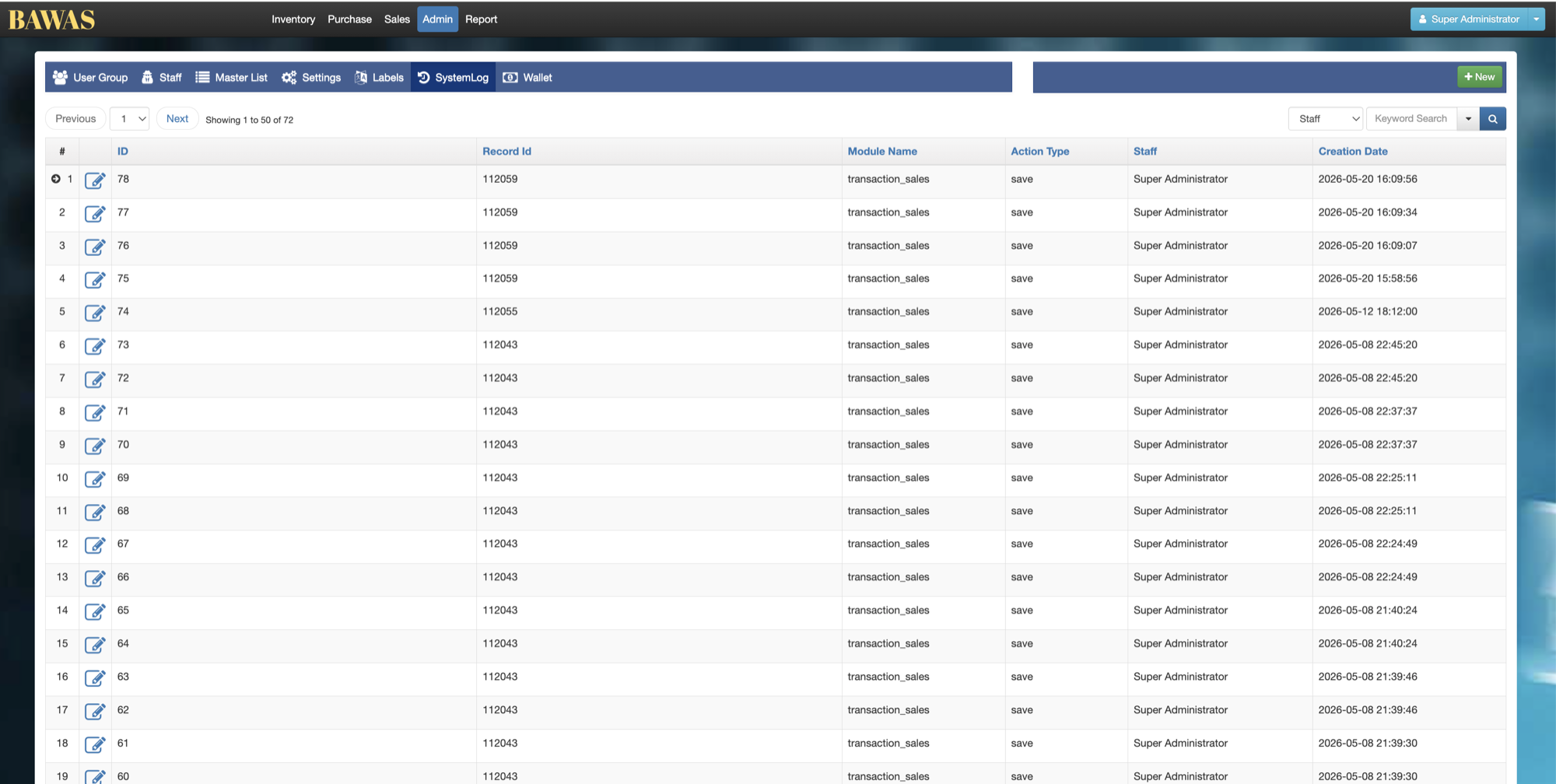
Manage System Log — list view
The SystemLog list shows recent events. Sort and search to find activity around a reported issue.
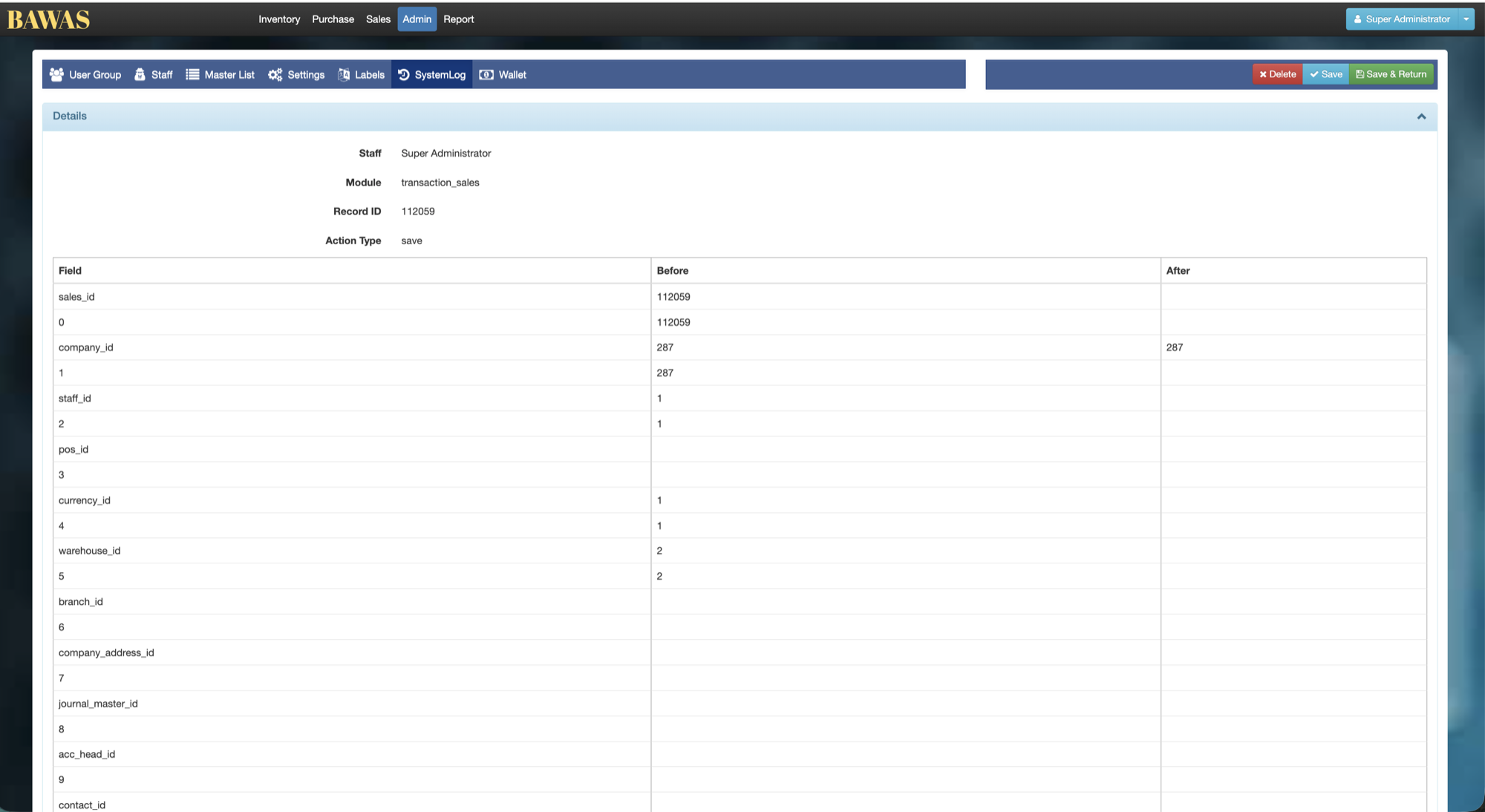
System Log Details
The detail screen shows one log record: user, timestamp, module, action, and any extra data captured. Use this when support needs the exact sequence before an error.
Related pages
- User management — staff accounts tied to log users.
- Settings — changes may appear in system log.