Admin-wallet
Menu: Admin → Wallet
Manage Admin Wallet
Open Admin from the top menu. Sub-tabs include User Group, Staff, Master List, Settings, Labels, SystemLog, and Wallet. On Wallet, the ledger lists Customer, Type, Credit, Debit, and Creation Date. Filter by Customer or Keyword Search, then use + New when your role allows manual entries.
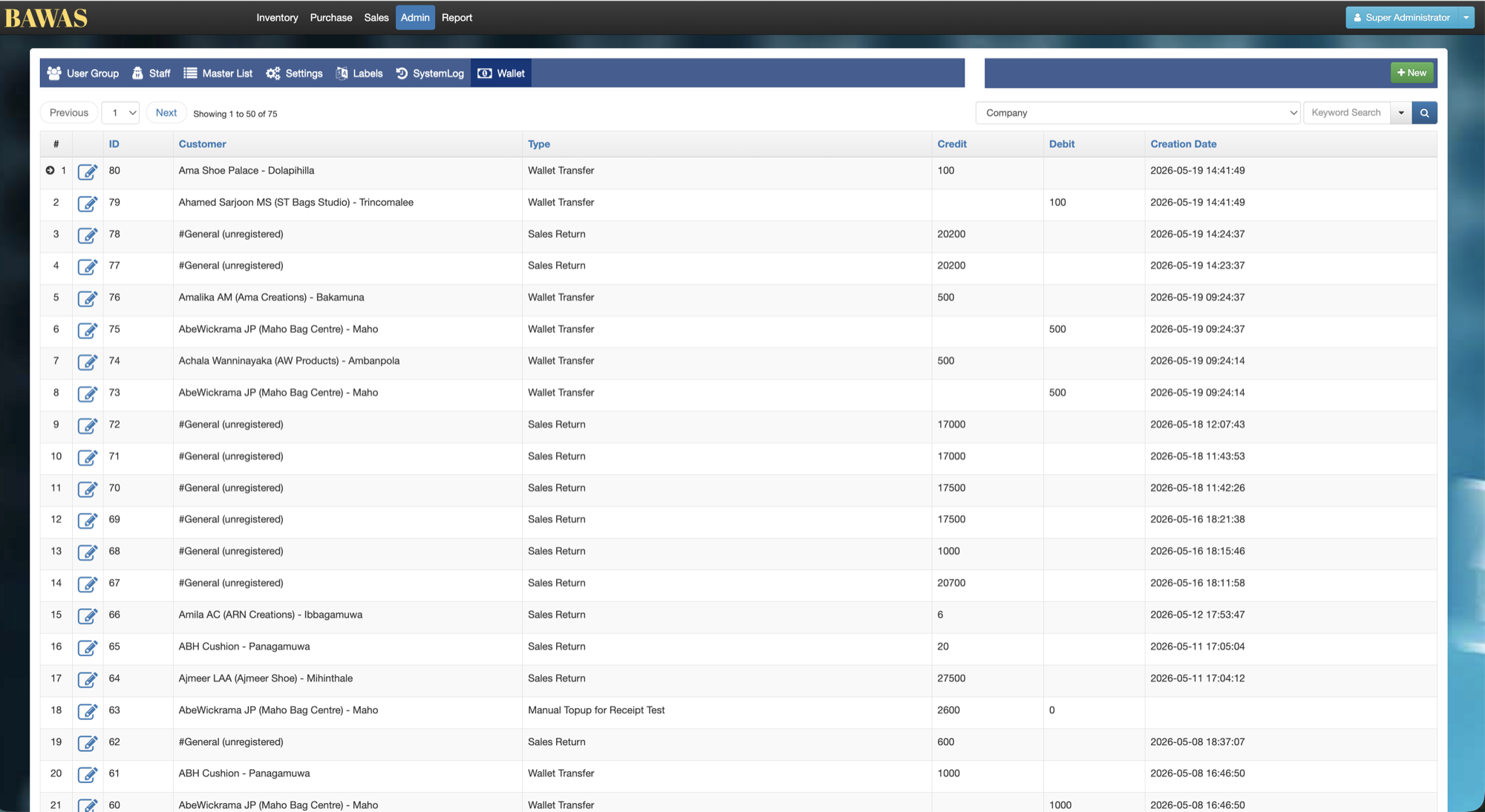
[BAWAS] Wallet: Allow Transfer with Negative Balance-completed. Admin → Wallet shows customer wallet movements. You can transfer wallet balance between customers even when the source customer ends up with a negative balance, and that balance is shown clearly on the customer profile.
Let administrators move wallet credit between customers and audit debits and credits, including transfers that leave a customer owing on wallet.
Special features
- Admin sub-tabs include Wallet alongside Staff, Settings, and SystemLog.
- Filter by Customer dropdown and Keyword Search.
- Table columns: ID, Customer, Type, Credit, Debit, Creation Date.
- Types include Receipt and Wallet Transfer.
- On Sales → Customer, Transfer to Other Customer and Wallet Amount with View.
- Negative wallet balance shown in red on the customer screen.
- Wallet History, Sales Invoice History, Receipt History, Sales Return History on the customer.
Workflows
Use a wallet transfer when you need to move balance from one customer to another. Confirm the source customer can go negative if your finance policy allows it.
Steps
- Open Sales → Customer and open the source customer (for example A-637 - Noorul Hameed).
- Note Wallet Amount (for example 0.00 before transfer).
- Click Transfer to Other Customer and complete the transfer amount.
- Save the customer and check Wallet Amount updates (for example -1000 in red).
- Open Admin → Wallet, filter by that customer, and confirm a Wallet Transfer row with the Debit.
- Open the receiving customer and confirm their wallet increased if applicable.
- Use Wallet History on either customer for a quick list from the profile.
Validation rules
| Rule | Detail |
|---|---|
| Customer | Transfer must use valid source and destination customers |
| Negative balance | System allows transfer when the source wallet goes below zero |
| Display | Negative Wallet Amount must show on the customer profile (red badge) |
| Ledger | Admin → Wallet must record Wallet Transfer with correct Debit |
| Credit / Debit | Receipt rows use Credit; transfers use Debit on the source |
| Policy | Only permitted roles should run transfers; agree rules for negative wallet |
| Reconciliation | Customer total should still match summed wallet movements over time |
Wallet Details
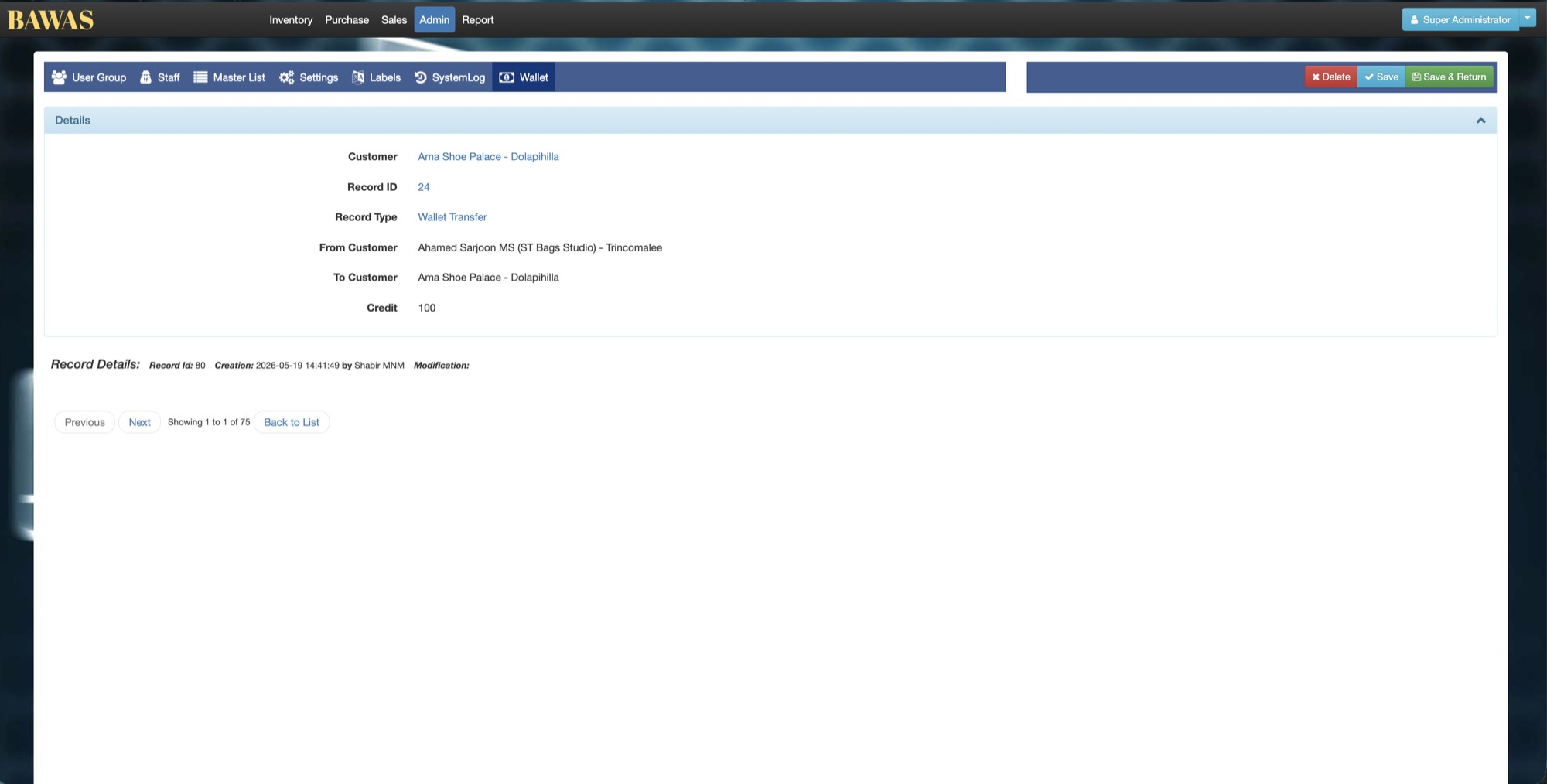
Wallet Details
Open a ledger row when you need the full context for one Receipt or Wallet Transfer line.
Wallet transfer workflow
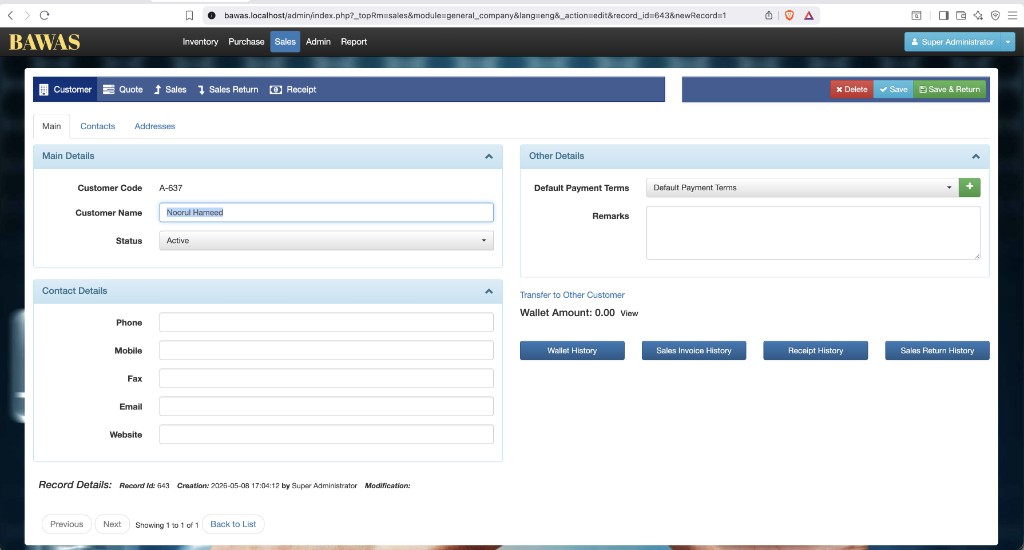
Customer Details — wallet before transfer
Customer A-637 - Noorul Hameed is Active on Sales → Customer. Wallet Amount is 0.00 with a View link. Transfer to Other Customer sits above the amount so staff can start a transfer from this screen. Contact fields and Default Payment Terms are unchanged by wallet logic.
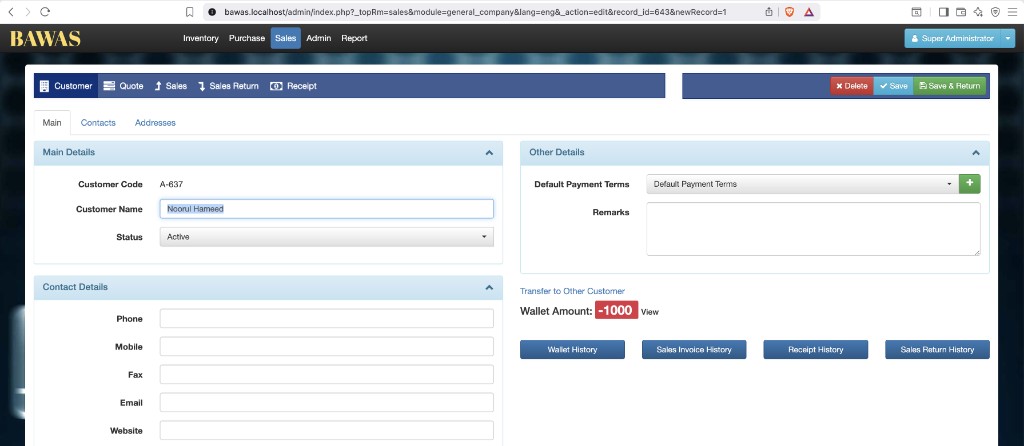
Customer Details — negative wallet balance
After a transfer out, Wallet Amount shows -1000 in a red badge so negative balance is obvious at a glance. The same customer still has Transfer to Other Customer and history buttons (Wallet History, Sales Invoice History, and others). This confirms the product allows negative wallet, not only zero or positive balances.
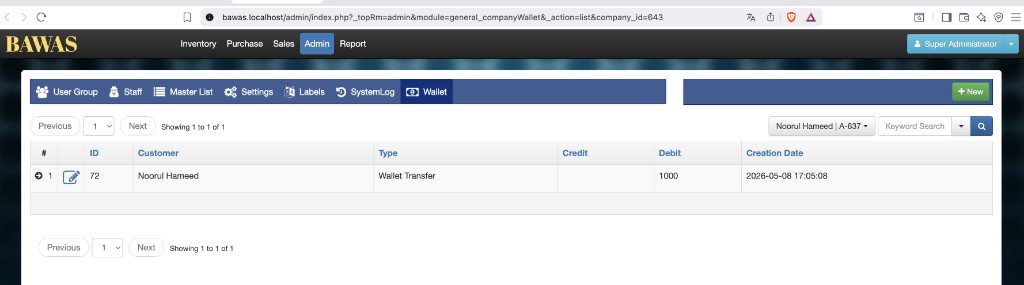
Manage Admin Wallet — transfer ledger
On Admin → Wallet, filtered to Noorul Hameed | A-637, one row appears: ID 72, type Wallet Transfer, Debit 1000, no credit, dated 2026-05-08 17:05:08. This ledger row matches the -1000 on the customer profile. Use + New only when your process allows manual entries; normal transfers should appear automatically after Transfer to Other Customer.
Wallet transfers can leave a customer in negative balance, with clear UI and a matching Wallet Transfer debit in the admin list. Use Customer management for the profile and this page to audit movements; pair with Receipt-allocation when credits come from receipts.