Sales receipts
Menu: Sales → Receipt
Receipts record money received from customers against sales or on account. They update customer balance and may feed Admin → Wallet.
Special features
- Receipt sub-tab under Sales.
- List: receipt ref, customer, date, amount, allocation status.
- Detail: customer, payment method, amount, allocation to invoices.
- Links to Receipt create, Receipt allocation, Receipt payment alert.
Workflows
Steps
- Open Sales → Receipt.
- Find the customer receipt or click + New.
- Enter amount and payment details on the detail screen.
- Allocate to open invoices—see Receipt allocation.
- Save and verify customer balance and wallet entries.
Validation rules
| Rule | Detail |
|---|---|
| Customer | Required |
| Amount | Must be positive unless your site allows credits |
| Allocation | Sum allocated cannot exceed receipt amount |
Manage Receipts
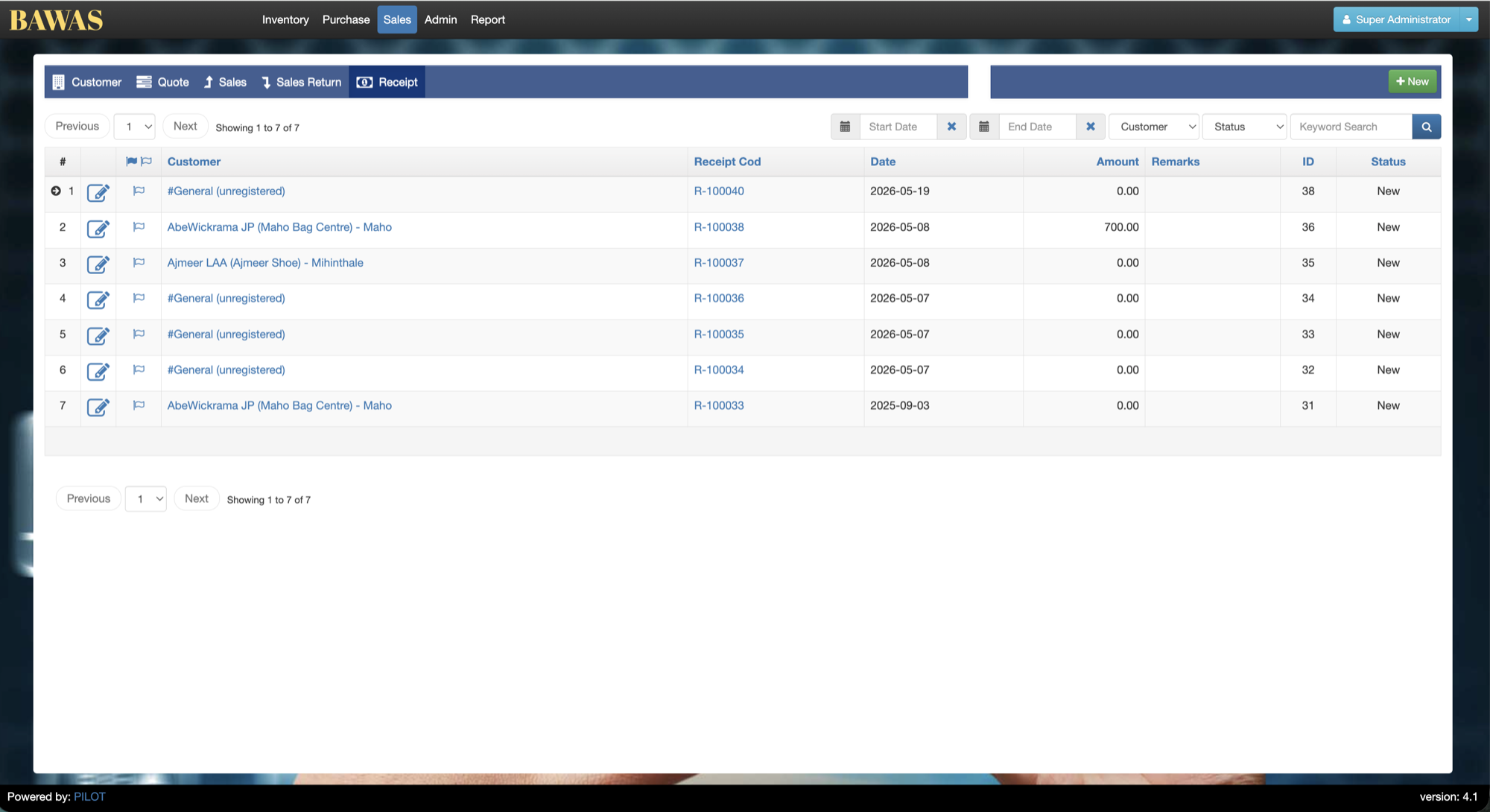
Manage Receipts — list view
The receipt list shows all customer payments. Use search and date filters to audit collections for a period.
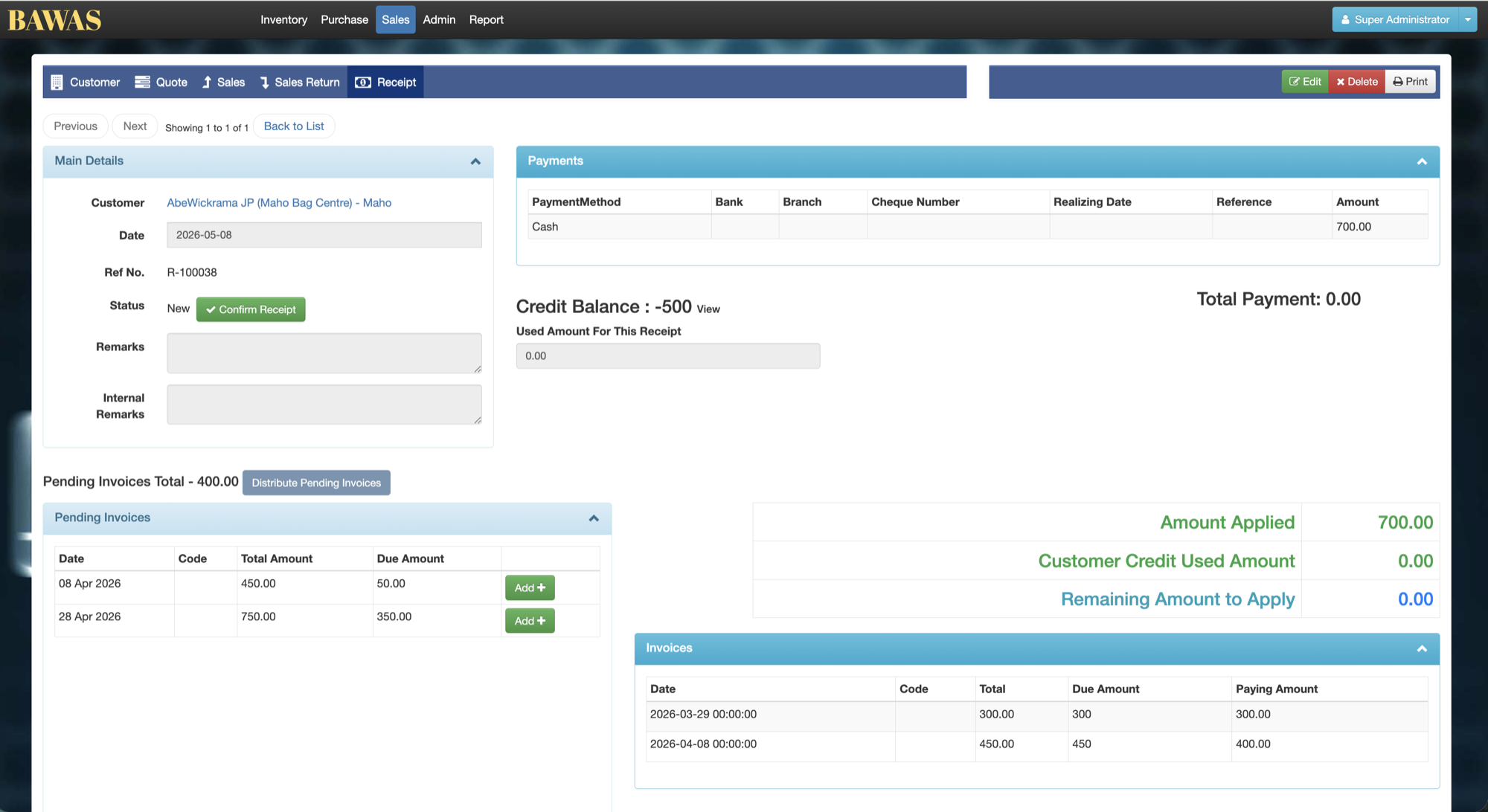
Receipt Details
The receipt detail screen shows customer, payment amount, date, and lines allocated to sales invoices. Complete allocation before closing the period.
Related pages
- Receipt create — create a new receipt.
- Receipt allocation — match receipt to invoices.
- Admin wallet — wallet ledger entries.