Sales management
Menu: Sales → Sales
Sales orders are the core outbound transactions: quotes become sales, then invoices after confirmation. The Sales tab lists every order with codes, customer, dates, amounts, status, and print.
Special features
- Sub-tabs: Customer, Quote, Sales, Sales Return, Receipt.
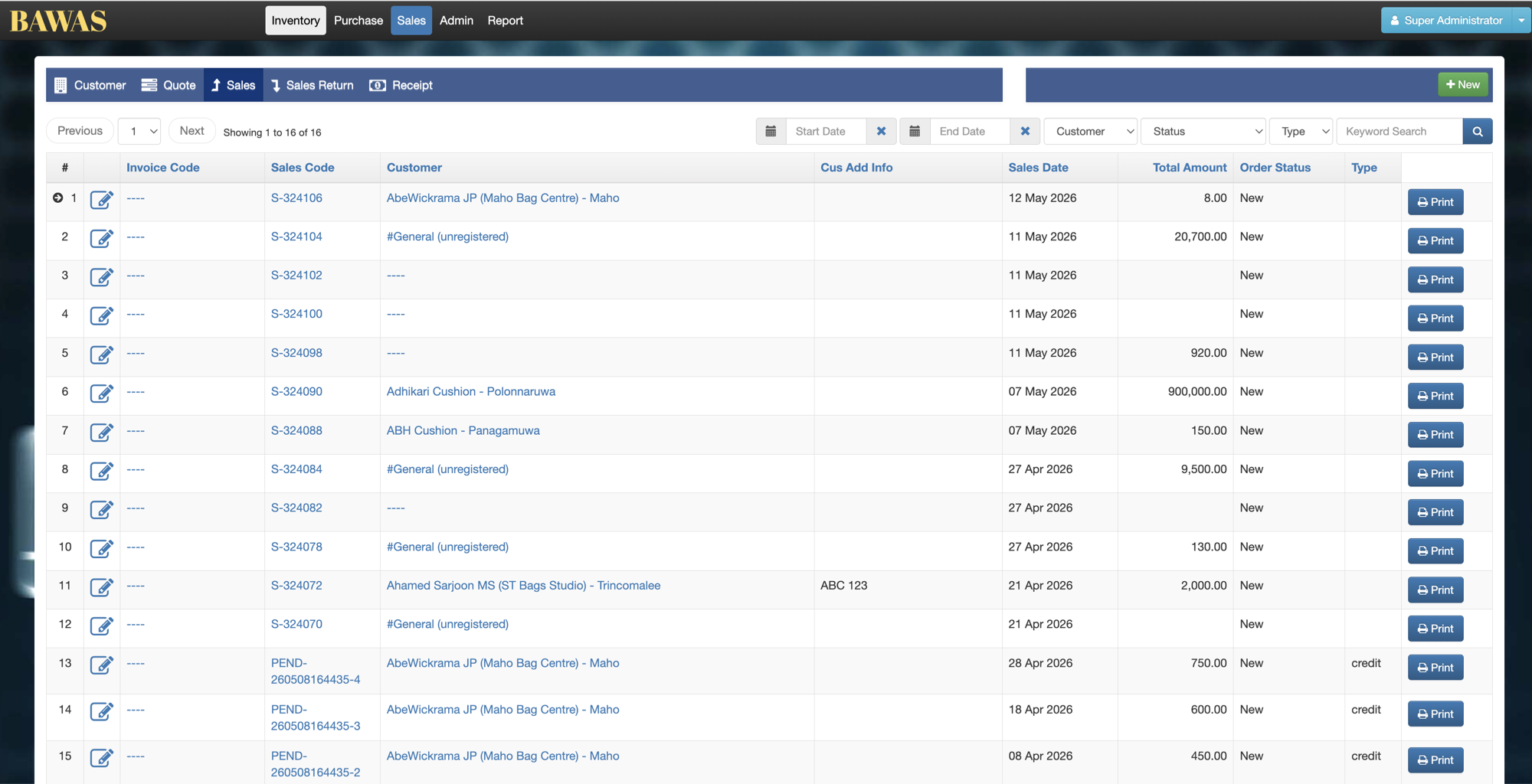
- List: Invoice Code, Sales Code, Customer, Cus Add Info, Sales Date, Total Amount, Order Status, Type, Print.
- Filters: Start Date, End Date, Customer, Status, Type, Keyword Search.
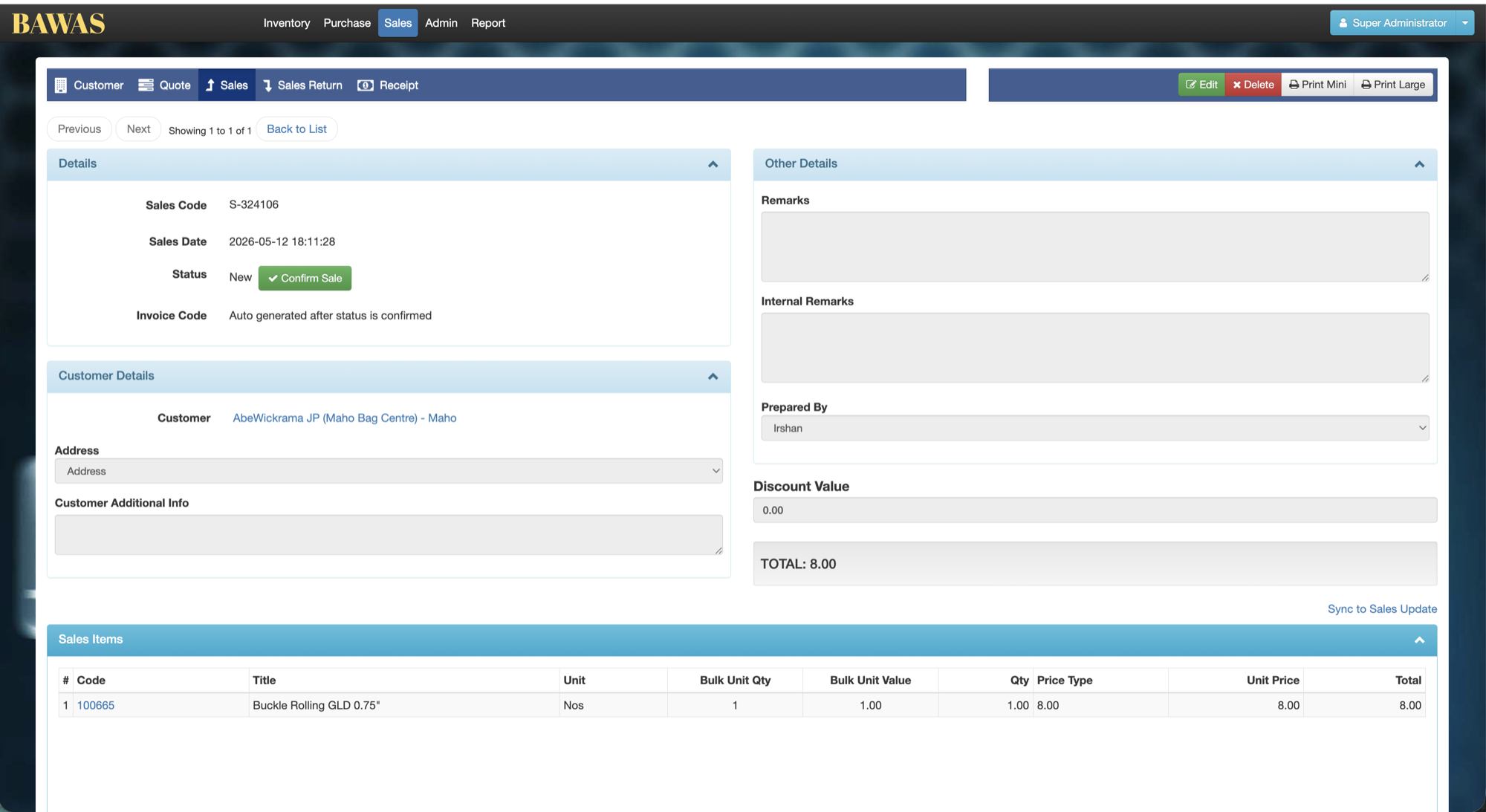
- Detail: Details, Customer Details, Other Details, Sales Items, bill Discount (percentage) and Adjust / Rounding.
- Confirm Sale generates Invoice Code after confirmation.
- Print Mini and Print Large on the detail screen.
Workflows
Steps
- Open Sales → Sales.
- Filter by customer or date, or search by Sales Code.
- Click + New or open S-324106 (or similar).
- Select Customer, address, and add Sales Items.
- Click Confirm Sale when ready to invoice.
- Print order or invoice—see Invoice & order print.
Validation rules
| Rule | Detail |
|---|---|
| Customer | Required unless using #General (unregistered) |
| Status | New until Confirm Sale |
| Invoice code | Auto-generated after confirmation |
| Totals | TOTAL on detail must match Sales Items; Total Amount on the list shows the saved order total |
Manage Sales
Manage Sales — list view
The Sales list shows 16 records with Sales Code links (for example S-324106), customers such as AbeWickrama JP (Maho Bag Centre) - Maho, dates, totals, status New, and Print per row. Use Cus Add Info for extra print text—see Print phone / mobile row.
Sales Details
Sale S-324106 for AbeWickrama JP (Maho Bag Centre) - Maho on 2026-05-12, status New, total 8.00. Line Buckle Rolling GLD 0.75" (100665), unit Nos, total 8.00. Prepared By Irshan; Confirm Sale before invoice code is issued.
Manage Sales — customer and keyword search
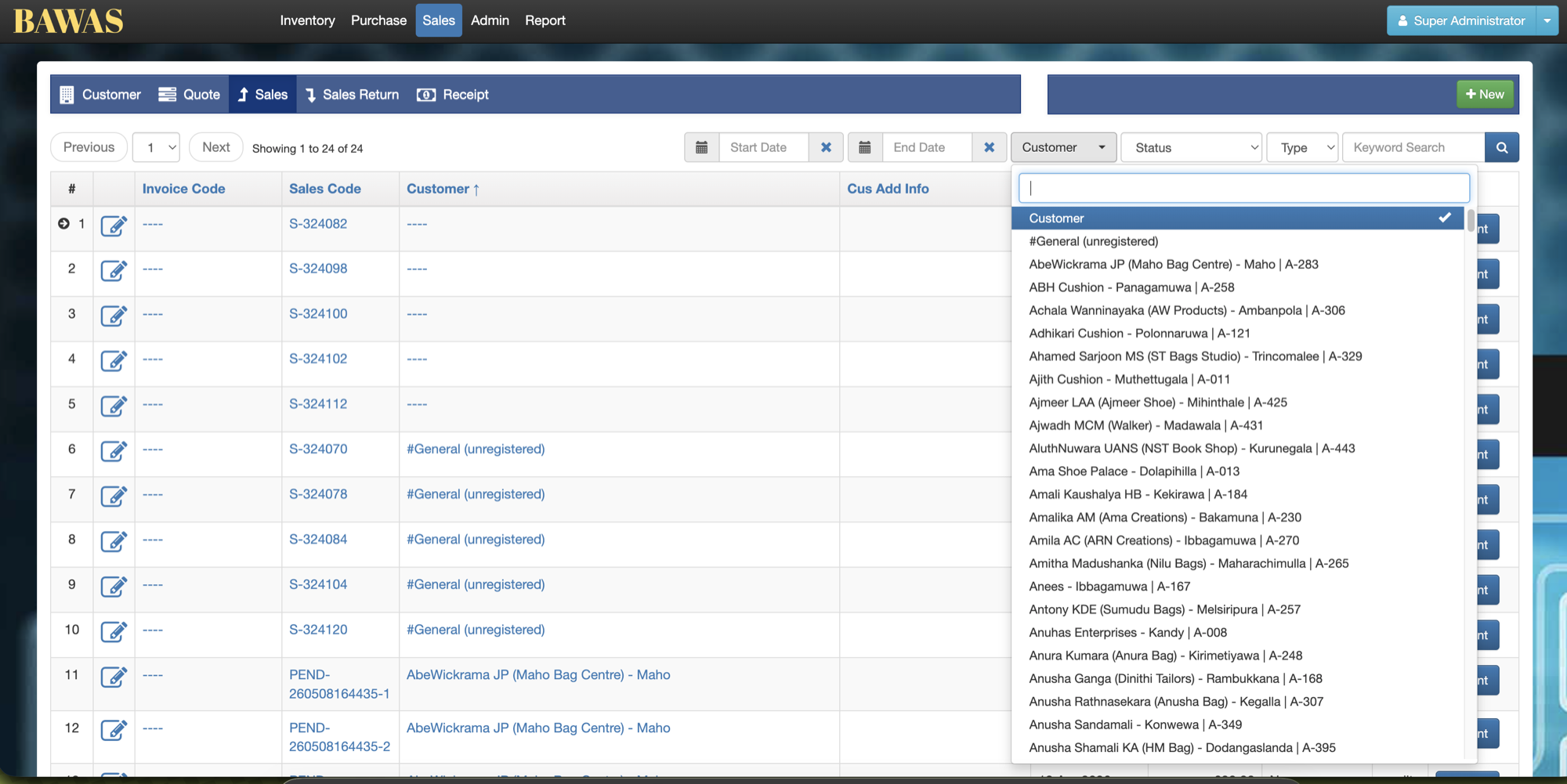
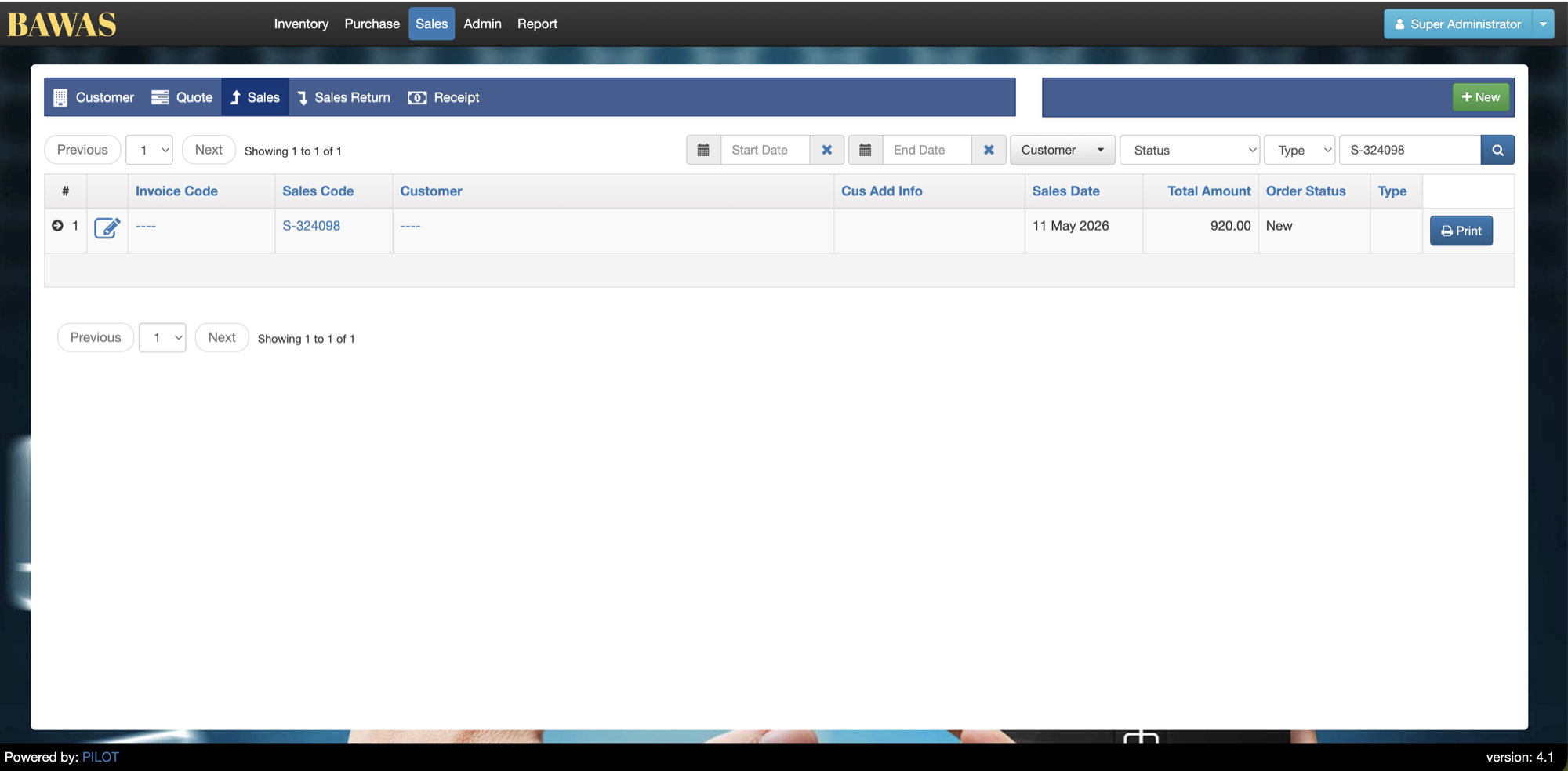
Use the Customer filter on the Sales list to narrow the grid to one account. Keyword Search can find a sale by its Sales Code.
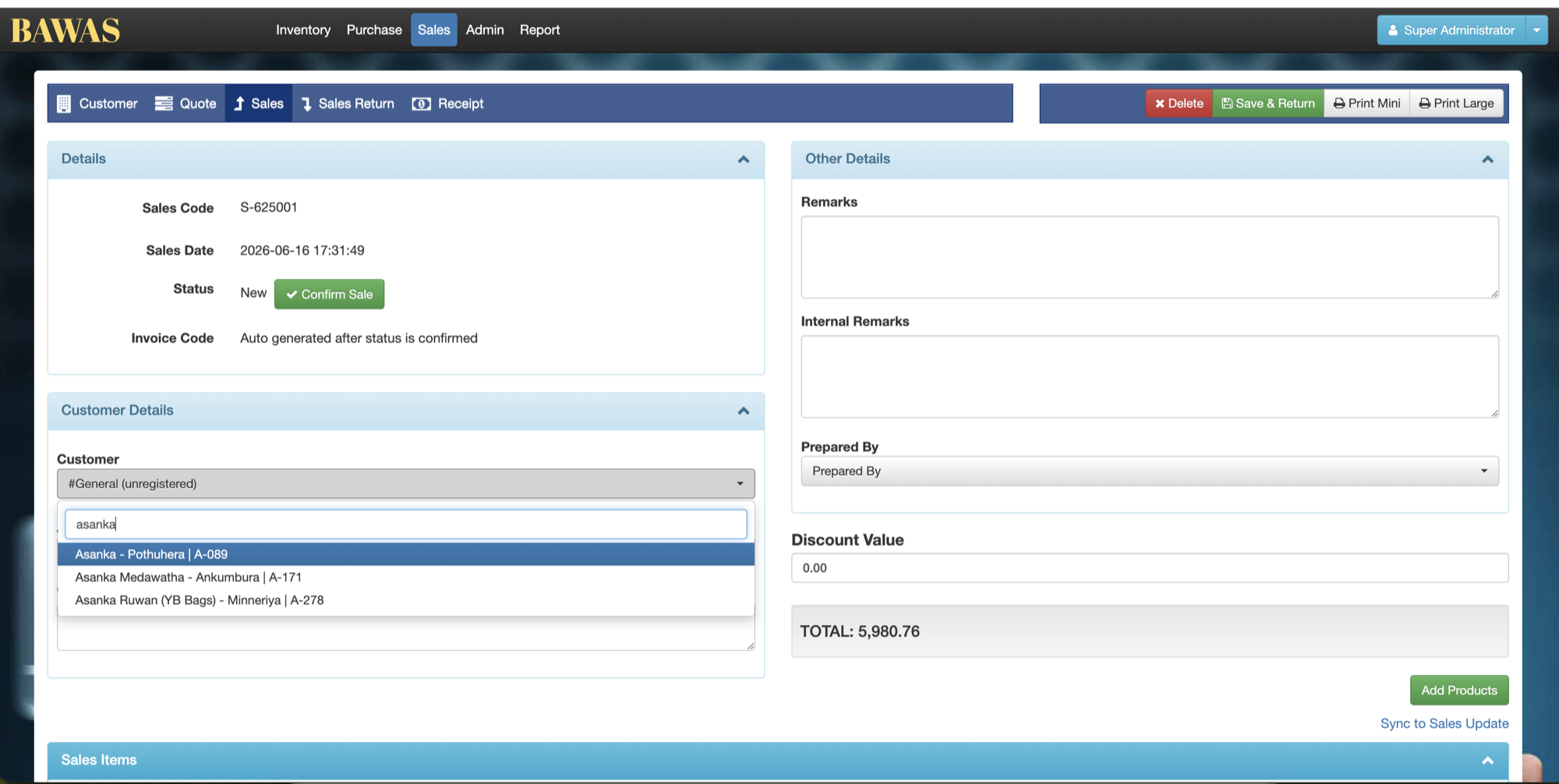
Sales Details — customer selection
On + New or an editable sale, type part of the name in the Customer dropdown. Check the account details in the matches before selecting the customer and adding items.
Related pages
- Edit transaction — change lines on open sales.
- Variant product selection — add multiple variants in Add Products.
- Confirm payment — payment on confirmed sales.
- Sales list total amount — Total Amount column on the list.
- Invoice & order print — PDF layouts.