Sales print-enable remarks
Menu: Sales → ORDER print remarks
[BAWAS] Sales/Receipt: Enable Remark in Print-completed. Remarks entered on the sales transaction now print on ORDER PDFs for both Print Mini and Print Large, so staff and customers see the same note that was saved on the sale.
Orders often need a short note (delivery instruction, reference, or internal handoff text). Printing REMARKS on the PDF avoids re-opening the sale screen at the counter or warehouse.
Special features
- REMARKS label with the sale remarks field value on print output.
- Print Mini (
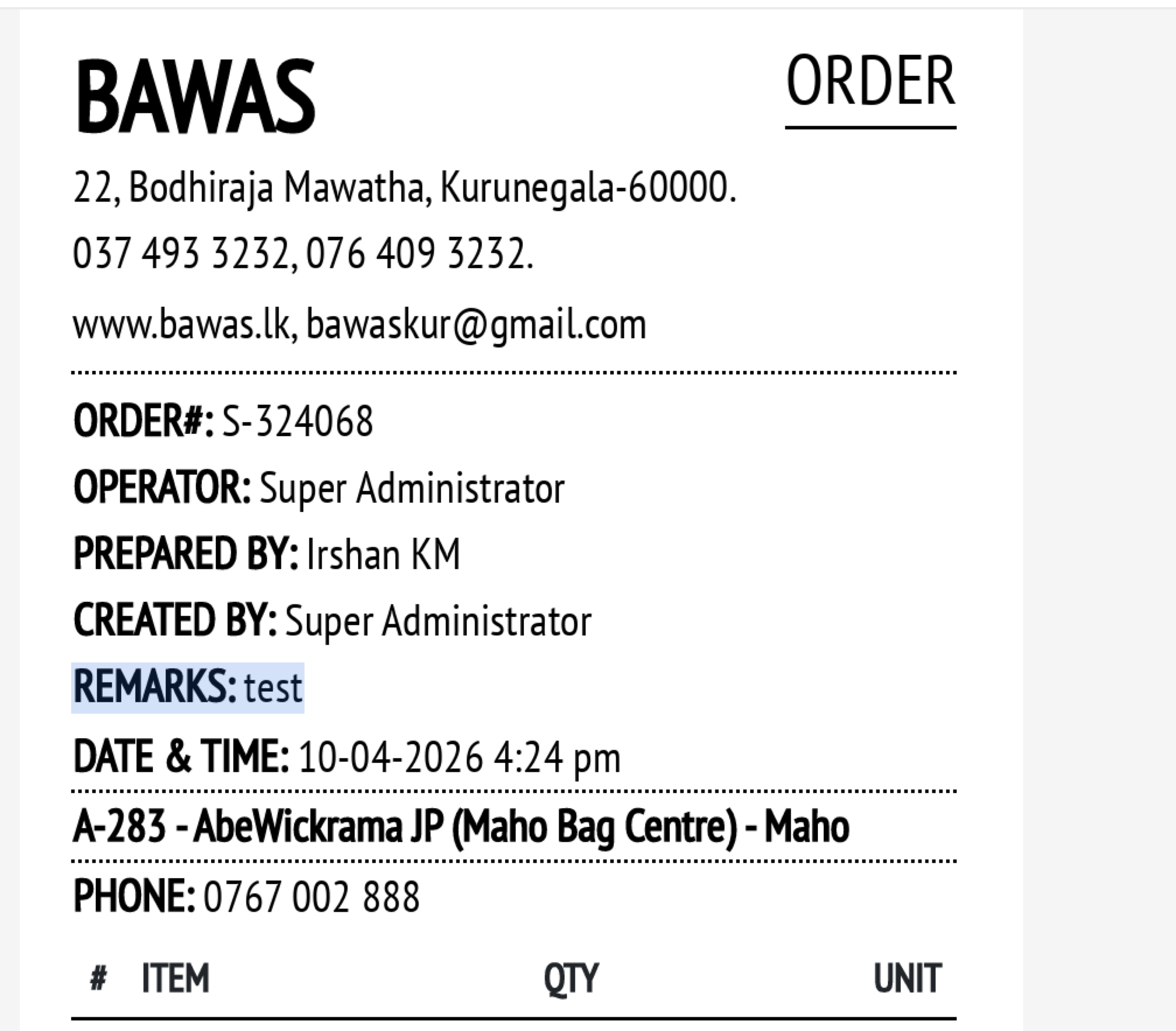
salesMini): remarks in the header block with order #, operator, prepared by, created by, date. - Print Large (
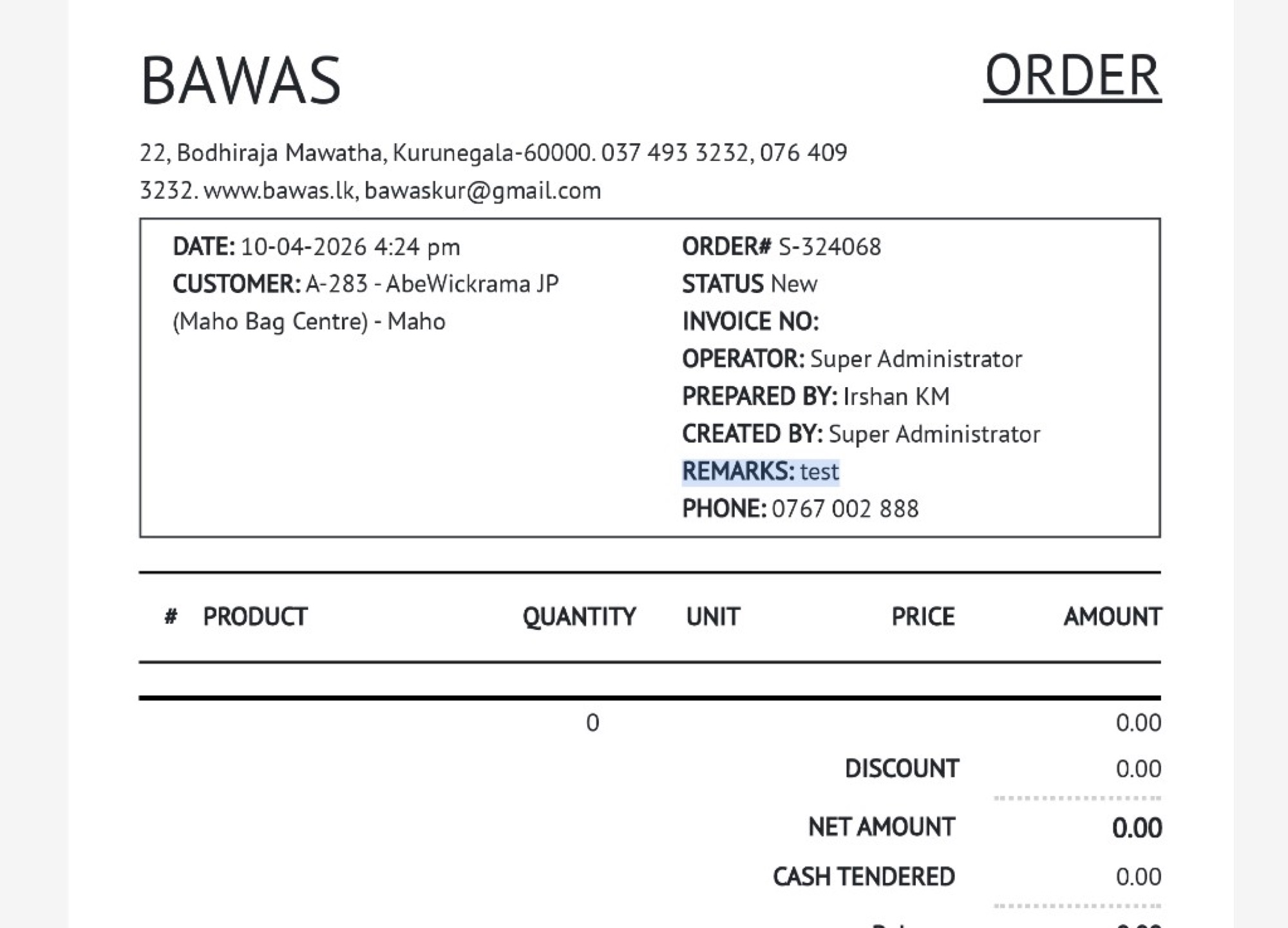
salesBawas): remarks in the right column of the order box with status, invoice no., and operator fields. - Works with existing customer, line, and total sections unchanged.
- Empty remarks: field is omitted or blank when not set (only prints when populated).
Workflows
Confirm remarks on the sale before printing.
Steps
- Open Sales and edit the transaction (for example S-324068 or S-604931).
- In Other Details, enter text in Remarks (for example
test). - Save the sale while status is still New (or after save as your process allows).
- Click Print Mini or Print Large, or use the report print action (
report_name=salesMini/salesBawas). - On the PDF, locate REMARKS: and confirm the text matches the sale screen.
- Re-print after changing remarks so the PDF stays current.
Validation rules
| Rule | Detail |
|---|---|
| Source field | Remarks on sales edit / receipt screen |
| Mini vs large | Same remark text on both print layouts |
| Order ref | ORDER# on print must match the sale (for example S-324068) |
| Other header fields | Operator, prepared by, created by, date unchanged |
| Internal remarks | Internal remarks are staff-only unless separately enabled—do not assume they print |
| Re-print | Old PDFs do not update until you print again |
Related — print examples
Related — ORDER print (mini, remarks header)
ORDER S-324068 for A-283 - AbeWickrama JP (Maho Bag Centre) - Maho, dated 10-04-2026 4:24 pm. The mini layout shows REMARKS: test between CREATED BY and DATE & TIME, with OPERATOR Super Administrator and PREPARED BY Irshan KM.
Use mini print when you need a narrow receipt-style copy with the remark visible at the top.
Related — ORDER print (large, remarks column)
Large ORDER S-324068 with the bordered order box: DATE, CUSTOMER, and on the right ORDER#, STATUS New, OPERATOR, PREPARED BY, CREATED BY, and REMARKS: test before PHONE 0767 002 888.
This matches the full-column layout used for counter checks and customer copies.
Related — ORDER print (mini, multi-line order)
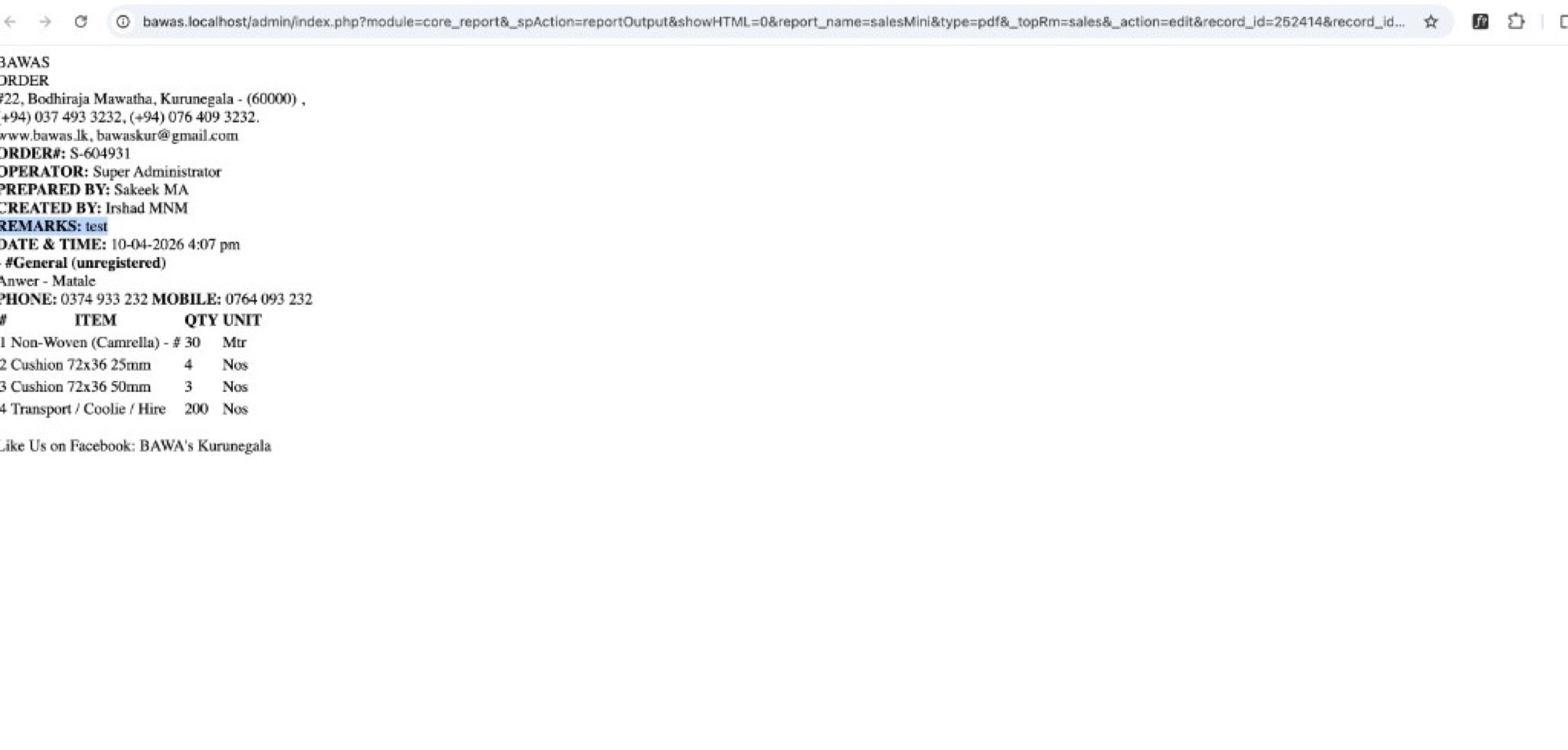
ORDER S-604931 for #General (unregistered), Anwer - Matale with REMARKS: test and multiple lines (for example Non-Woven (Camrella), cushions, transport). DATE & TIME 10-04-2026 4:07 pm; PREPARED BY Sakeek MA.
Confirms remarks print correctly when the order has several items, not only on empty or single-line orders.