Stock Sub Cat
Menu: Inventory → Stock Sub Cat
Tab icon: List (sub-category list)
Sub-categories sit under a Stock Category (for example Heels under Shoe Accessories). Define them here before you assign products.
Manage Stock Sub Categories
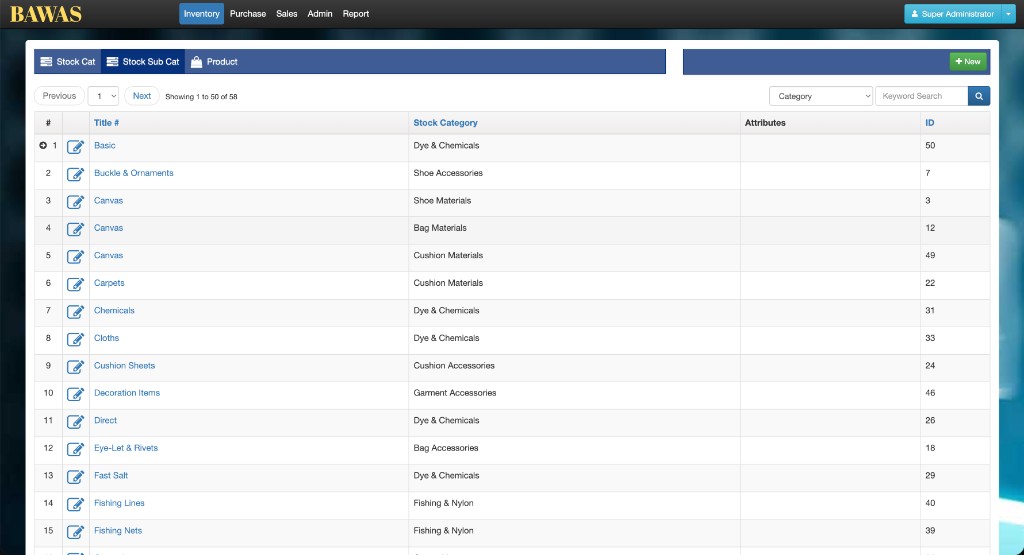
Open Inventory → Stock Sub Cat. The list shows Title, Stock Category, Attributes, and ID. Filter by Category and use Keyword Search to narrow results. Use + New for new sub-categories and the edit icon or title link to open a record.
Stock Sub Category Details
Click a sub-category Title or the row edit icon to open the detail view. The screen is read-only until you choose Edit; use Delete only when no products still use the sub-category.
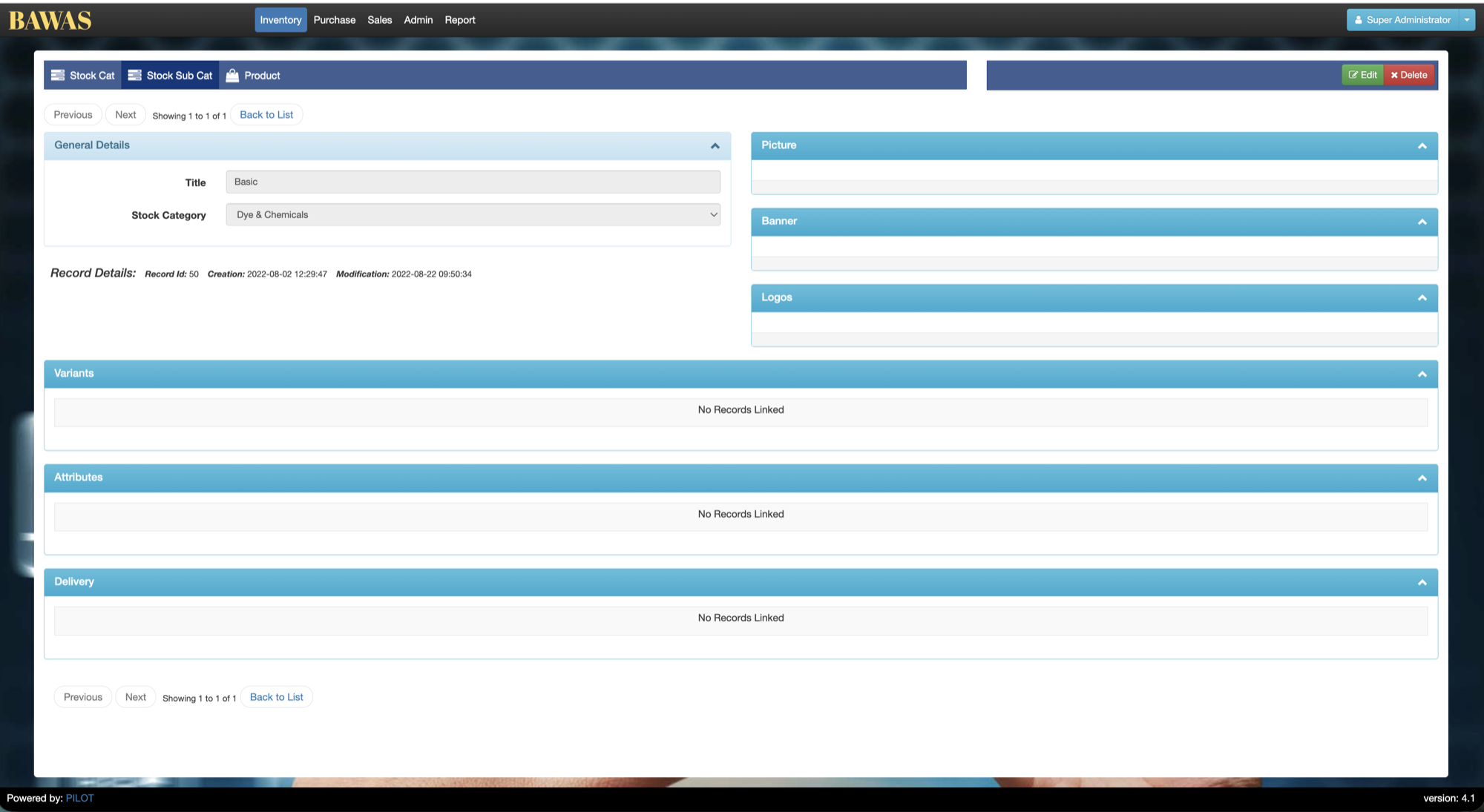
Stock Sub Category Details — general and linked panels
| Area | Purpose |
|---|---|
| Inventory tabs | Stock Cat, Stock Sub Cat (active), Product |
| Edit / Delete | Change or remove this sub-category |
| Previous / Next | Step through sub-categories in list order |
| Back to List | Return to the Stock Sub Cat grid |
General Details (left): Title (for example Basic), parent Stock Category (for example Dye & Chemicals), and audit fields (Record Id, Creation, Modification).
Media (right): optional Picture, Banner, and Logos panels for images tied to the sub-category.
Linked sections (bottom): Variants, Attributes, and Delivery list related rows. Empty panels show No Records Linked until you add data from the relevant masters.
Products inherit sub-category from this record—keep the parent Stock Category correct before assigning items on Product.
Special features
- Category dropdown on the list filters by parent stock category.
- Attributes column may show variant or classification data used on products.
- Sub-category titles are clickable links (same as edit).
- Detail view: General Details, media (Picture, Banner, Logos), and linked Variants, Attributes, Delivery panels.
Workflows
Create a sub-category under a category
- Open Stock Sub Cat.
- Optionally choose Category to see existing items in that group.
- Click + New, select the parent category, enter the title, and save.
Move products to another sub-category
- Update the sub-category record if only the label changes, or
- On Product, edit each affected product and change Sub Category.