Sales print-phone and mobile row
Overview
[BAWAS] Customer: Add Phone Number in Print & List View-completed. Customer phone (and mobile when set) from the customer master print on ORDER and INVOICE PDFs. List Phone / Mobile columns match print output—see Customer management. Related: [BAWAS] Print: Both Phone & Mobile Numbers to single row in print (compact single-row layout) and customer additional info below the customer name when set.
Purpose
Make printed orders easy to read: both contact numbers, optional extra customer text, and consistent data from the customer list.
Features
- ORDER PDF with company header and customer detail box.
- PHONE and MOBILE labels with numbers from the customer profile.
- Phone and mobile on one row where the compact layout uses icons (see first completed fix).
- Customer additional info printed under the customer name (for example ABC 123).
- Other fields: date, customer code/name, order #, status, invoice no., operator, lines, totals.
Workflow
Confirm customer data on the profile before you rely on the printout.
Steps
- Open Sales → Customer and check Phone, Mobile, and any additional info fields.
- Open the sale (for example S-324072) and confirm the customer link.
- Use Print Large or Print Mini / report print.
- On the PDF, verify CUSTOMER name, additional info line, PHONE, and MOBILE.
- For compact orders, confirm phone and mobile still read clearly (single-row layout when applicable).
- Re-print after contact or additional-info changes.
Validation Rules
| Rule | Detail |
|---|---|
| Customer master | Phone and mobile come from the customer record |
| List vs print | Numbers should match Phone / Mobile on the customer list |
| Additional info | Prints below customer name when populated (for example ABC 123) |
| Missing number | If only one number exists, print should still show that field |
| Order ref | Order # on print must match the sale (for example S-324072) |
| Re-print | Old PDFs do not update until you print again |
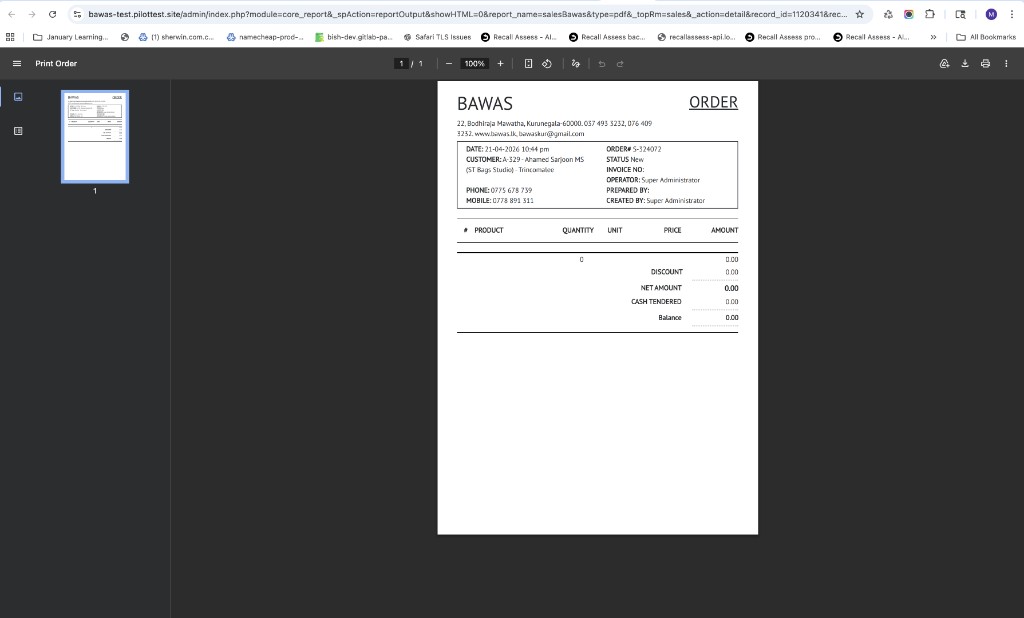
Screenshot-phone and mobile on ORDER print
Overview
ORDER S-324072 for A-329 - Ahamed Sarjoon MS (ST Bags Studio) - Trincomalee, dated 21-04-2024. The customer box shows PHONE 0775 678 739 and MOBILE 0778 891 311 from the customer master—the same fields maintained in the list Phone and Mobile columns.
Staff no longer need to open the customer screen to see both numbers on the invoice-style print.
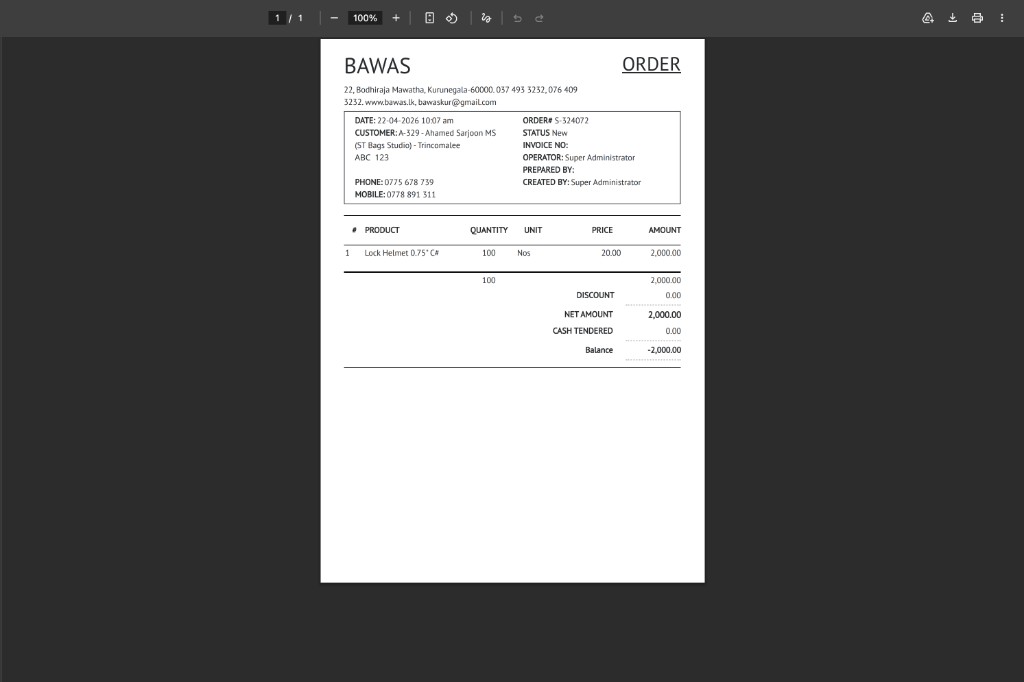
Screenshot-customer additional info on print
Overview
Same order S-324072 with a line of customer additional info (ABC 123) printed directly under the customer name and location, before PHONE and MOBILE. Line Lock Helmet 0.75" C# and totals (NET AMOUNT 2,000.00) are unchanged.
Use this field on the customer record for short notes that must appear on the printed order (branch note, reference, and similar).
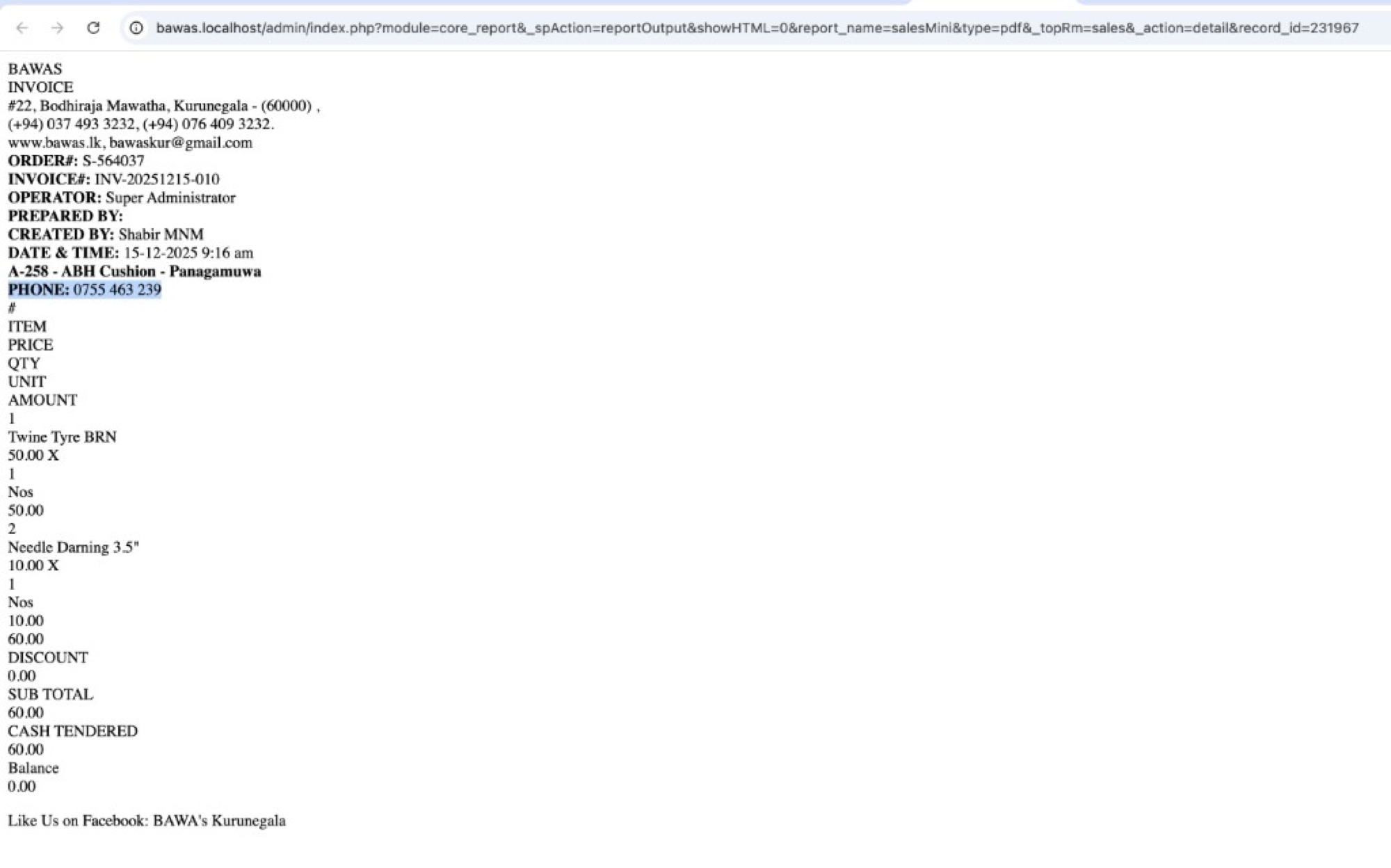
Screenshot-phone on INVOICE Print Mini
Overview
INVOICE INV-20251215-010 / order S-564037 for A-258 - ABH Cushion - Panagamuwa, dated 15-12-2025. Mini print shows PHONE: 0755 463 239 directly under the customer line, before line items (Twine Tyre BRN, Needle Darning 3.5") and totals (SUB TOTAL 60.00).
Use mini print when the counter needs a narrow receipt with the customer phone visible without opening the customer screen.
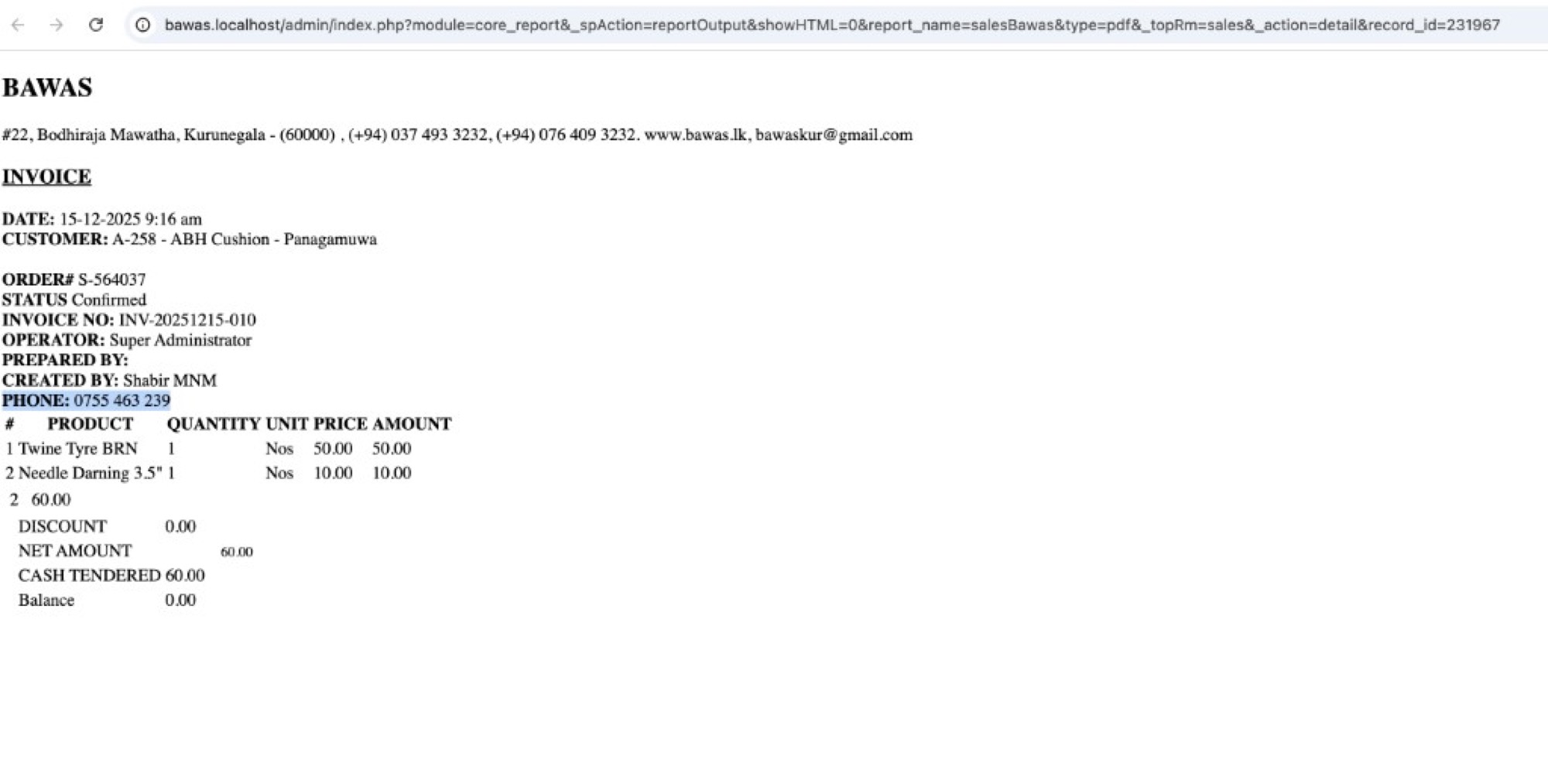
Screenshot-phone on INVOICE Print Large
Overview
Large INVOICE for the same sale: CUSTOMER A-258 - ABH Cushion - Panagamuwa, ORDER# S-564037, INVOICE NO INV-20251215-010, status Confirmed, and PHONE: 0755 463 239 in the order box. Line table and NET AMOUNT 60.00 / Balance 0.00 unchanged.
The number matches the Phone field on the customer list and profile.
Screenshot-phone and mobile on one row (compact)
Overview
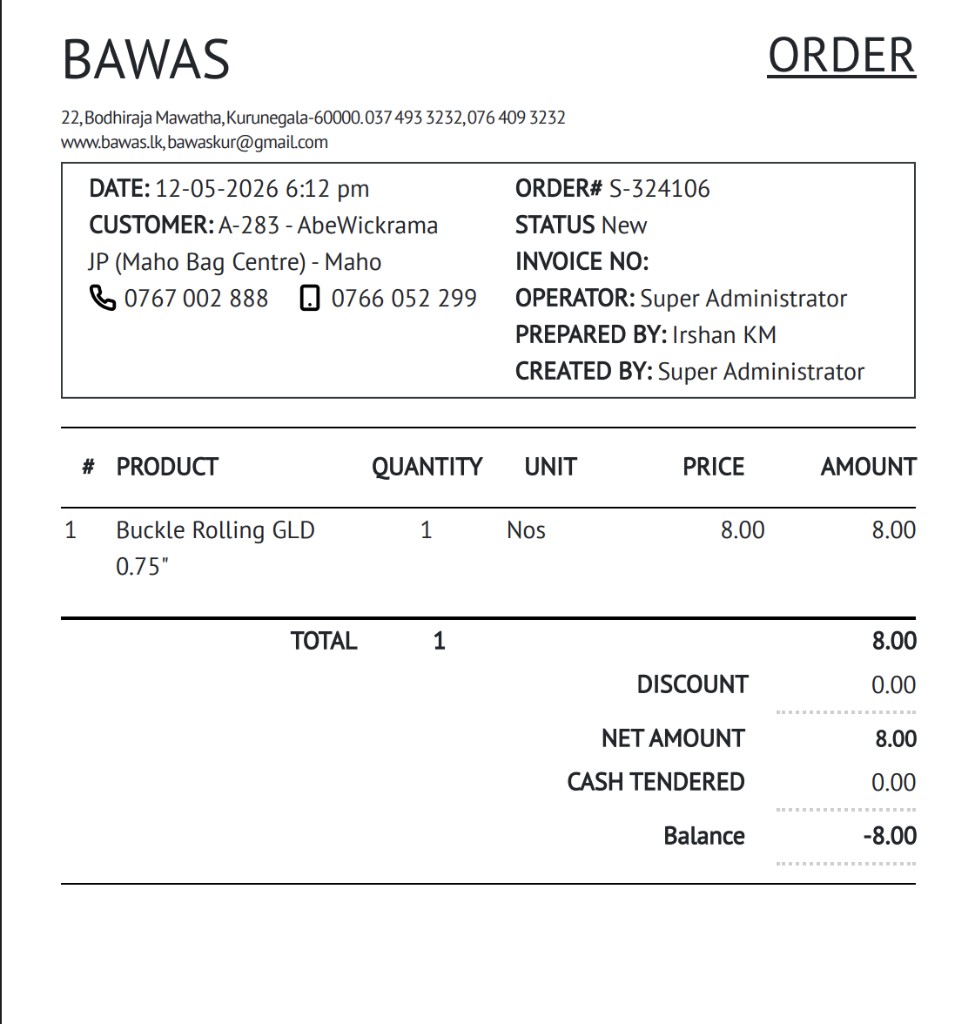
ORDER S-324106 for A-283 - AbeWickrama JP (Maho Bag Centre) - Maho shows landline and mobile on the same row with icons (0767 002 888, 0766 052 299) on compact layouts. For general order layout and totals, see Invoice and order print.
Summary
Sales ORDER print shows phone, mobile, and optional additional info from the customer master. Keep the customer list and profile up to date so every re-print stays correct.