Reports-Sales reports hub
Overview
The Report module landing page lists Sales Reports shortcuts and a Choose Report Name control. Staff pick a report type, then run it and export to PDF when needed.
Purpose
Give administrators one place to open standard sales reports without writing queries.
Features
- Sales Reports tile buttons:
- Sales Overview
- Sales by Product Category
- Sales by Representative
- Sales by Product
- Sales - Discount Wise
- Sales by Creator
- Sales by Month
- Choose Report Name dropdown (searchable) at the top right.
- Show Report button to generate the selected report.
- PDF button to export the result (bottom right when a report is shown).
Workflow
Use the hub to pick a report, then complete filters on the next screen (dates, customer, etc.) before you view or export.
Steps
- Open Report from the top menu (
_topRm=report,module=core_report). - On the Sales Reports panel, click a tile (for example Sales Overview) or choose the same name from Choose Report Name.
- Click Show Report.
- On the report screen, set filters (date range, customer, and others shown for that report).
- Review the on-screen table and totals.
- Click PDF to download when the output is correct.
Validation Rules
| Rule | Detail |
|---|---|
| Report selection | Select a report from a tile or the dropdown before Show Report |
| Role access | Your user group must allow the chosen report |
| Filters | Each report may require dates or other fields—complete them on the report screen |
| Empty results | No rows usually means no data in range or unconfirmed documents—check Sales and Receipts |
| PDF export | Available after the report loads; export only reviewed figures |
Screenshot Section
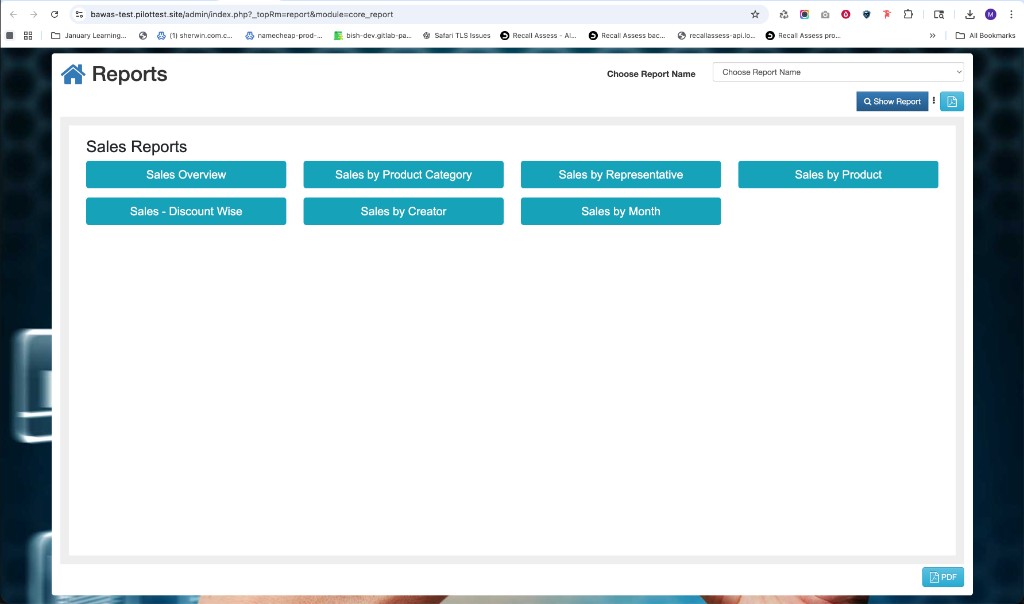
Reports landing page with Sales Reports shortcuts and Show Report control.
Summary
The Sales Reports hub is the starting point for all sales analytics. Pick the report type here, then apply filters on the next screen. If figures disagree with operations, correct Sales and Receipt data before re-running.